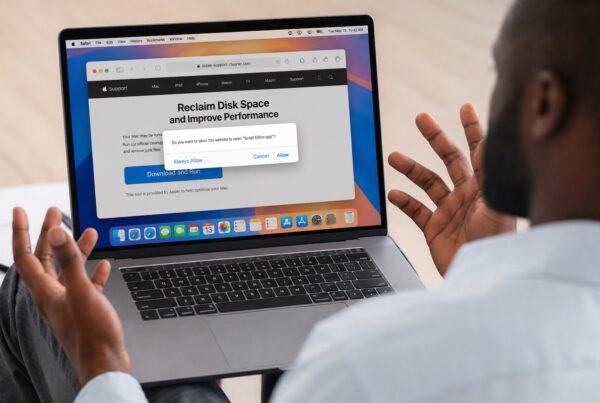


As part of the 2026 digital reset, scams sent through phishing emails, text messages, and phone calls are becoming more convincing and harder to spot. Knowing how these schemes work can help you avoid sharing personal information, clicking malicious links, or falling for urgent requests that seem legitimate.
Welcome back to our 2026 Digital Reset series. In our first article, we covered the importance and how-tos of backups. Next, we wrote about security updates and passwords.
This week, we’re turning to the most common way people still run into trouble: scams designed to look urgent, familiar, and legitimate. The goal isn’t to make you suspicious of everything, but instead to help you recognize the moments when it’s worth slowing down.
The New Scams of 2026, and How to Recognize Them Before They Escalate
Scams aren’t new, but they are getting more convincing.
In 2026, the most successful scams don’t rely on obvious typos or outlandish stories. They look polished, timely, and familiar. They’re designed to catch you off guard, create urgency, and push you to act before you’ve had a chance to think.
The average user doesn’t need special software or technical expertise to stay protected. You just need to know what to look for.
Phishing Email: Still the Most Common Threat
Phishing emails remain the leading cause of security breaches for individuals and businesses alike. These messages are designed to look legitimate and often appear to come from companies you recognize.
Be cautious with any email that:
- Asks you to click a link, download a file, or sign a document unexpectedly
- Requests personal or financial information
- Claims there’s an urgent problem with an account or payment
- Appears to be from a large company you don’t normally hear from directly
- Pressures you with phrases like ‘action required,’ ‘account locked,’ or ‘unauthorized charge’.
When in doubt, don’t click links or reply. Instead, open a new browser window and go directly to the company’s official website, or contact them using a phone number you trust.
Legitimate companies – including Apple, banks, and cellular carriers – will never ask for your password or two-factor authentication codes by email.
Text Messages Are the New Favorite for Scammers
Scam attempts have increasingly moved to text messages because they feel more personal and immediate.
Common scam texts include:
- Fake delivery notifications with tracking links
- Alerts about suspicious charges or logins
- Requests to ‘confirm’ or ‘secure’ an account
- One-time passcode messages followed by a link or callback number
A simple rule helps here:
Don’t click links in texts unless you were expecting them and they clearly make sense.
If you’re unsure, go directly to the company’s website by typing the address yourself, or check the related app instead of using the link.
Spoofed Phone Calls and ‘Urgent’ Voicemails
Caller ID can be spoofed easily, which means calls can appear to come from Apple, Amazon, your bank, or even local numbers.
Be cautious of calls that:
- Claim there’s fraud or suspicious activity
- Ask you to verify information immediately
- Pressure you to act ‘before it’s too late’
- Provide a phone number and urge you to call back
Unless you’re expecting a callback for a support case you opened, let the call go to voicemail. If it sounds important, look up the company’s official phone number yourself and call them directly.
Deepfakes and AI-Enhanced Scams
Newer scams may involve realistic-sounding voices, video messages, or highly personalized emails. These are designed to override your instinct to pause.
If something feels off – even if it looks or sounds convincing – trust that instinct. Scammers rely on speed and surprise; slowing down is often enough to stop them.
A Simple Rule That Stops Most Scams
When you’re unsure:
- Don’t click
- Don’t reply
- Don’t call the number provided
Instead, verify using a method you initiate – a known website, saved contact, or trusted support channel.
If you’re ever unsure, it’s okay to stop in at G2 Computers and ask for help. A quick check can prevent a long cleanup.
If you prefer a little extra peace of mind, G2 Computers can help beyond the basics. We offer Malwarebytes to block and remove malicious software, and for those who want a more hands-off approach, we also provide Watchman Monitoring.
Watchman is a quiet, professional monitoring service that keeps an eye on security signals, system health, and backups – alerting us if something needs attention before it turns into a bigger problem. It’s available for individual home users as well as businesses, and scales easily from small setups to environments with 25 to 1,500+ devices.
It’s designed to be supportive, not intrusive – a safety net that works in the background while you get on with your day.
Up next:
Where trouble starts online — and how to avoid risky websites, pop-ups, and fake support alerts.
Next week, we’ll wrap up the series by looking at where problems often begin online, including risky websites, pop-ups, and fake support alerts – and how to avoid them altogether.